
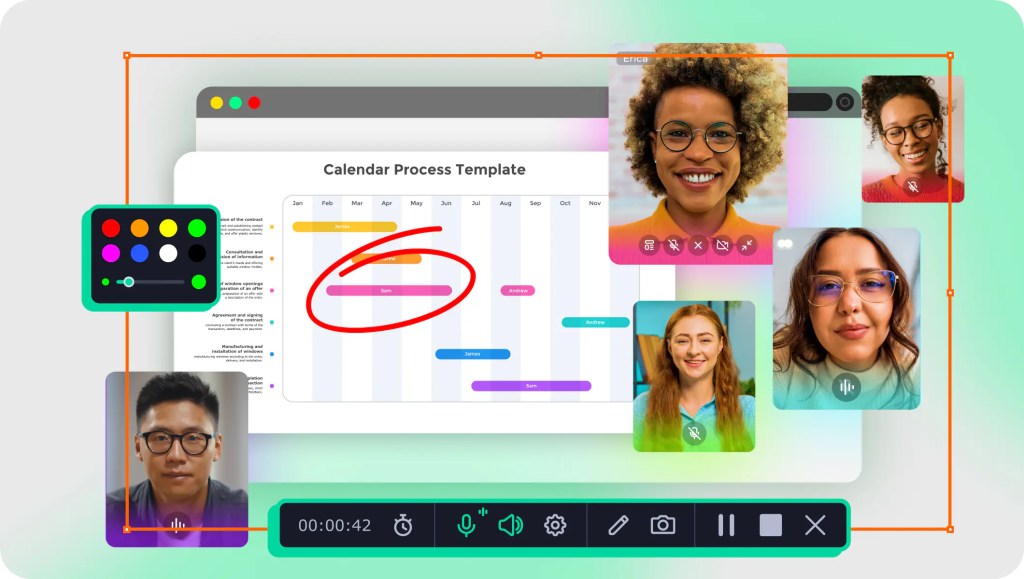
Live Streaming with Movavi Screen Recorder: Your Gateway to Effortless Streaming
Hey there, fellow content creators and digital enthusiasts! If you’re looking to dive into the world of live streaming, you might be wondering how to get started without breaking the bank or losing your sanity in the process.
Well, today we’re chatting about one of the coolest tools out there—Movavi Screen Recorder. So grab your favorite beverage, settle in, and let’s explore how you can use this nifty software to take your live streaming game to the next level!
What is Movavi Screen Recorder?
First things first, let’s get acquainted with Movavi Screen Recorder. This software is designed to capture everything that happens on your screen—be it gameplay, presentations, or even video calls.
But it doesn’t just stop there! With its user-friendly interface and powerful features, Movavi makes live streaming a breeze for both beginners and seasoned pros alike.
Why Choose Movavi for Live Streaming?
1. User-Friendly Interface
One of the biggest advantages of Movavi Screen Recorder is its intuitive design. You don’t need to be a tech whiz to figure it out! With just a few clicks, you can start recording your screen or broadcasting live.
It’s perfect for those who want to hit the ground running without spending hours learning complicated software.
2. High-Quality Output
When it comes to live streaming, quality matters. Movavi Screen Recorder allows you to stream in stunning HD quality, ensuring that your audience enjoys a crisp and clear viewing experience.
Say goodbye to pixelated videos and hello to professional-grade streams that keep viewers coming back for more!
3. Versatile Recording Options
Whether you’re streaming a gaming session, an online course, or a virtual event, Movavi has got you covered. You can choose to record the entire screen or just a specific area—perfect for highlighting important sections during your stream.
Plus, with options like webcam overlay and audio recording from multiple sources, your streams will be dynamic and engaging.
4. Edit Like a Pro
Once you’ve wrapped up your live stream (or recorded session), you can easily edit your footage using Movavi’s built-in editor.
Trim those awkward pauses, add cool effects or transitions, and enhance your content before sharing it with the world! This means you not only get to create great live streams but also polished videos afterward.
How to Get Started with Live Streaming Using Movavi
Now that we’ve covered why Movavi is a fantastic choice for live streaming let’s break down how you can kick things off!
Step 1: Download and Install
Head over to the Movavi website and download the Screen Recorder software. Installation is quick and straightforward—just follow the prompts!
Step 2: Set Up Your Stream
Once installed, open up the program and select “Capture Screen.” Here’s where you can choose what part of your screen you’d like to record.
Make sure to also configure your audio settings so that both system sounds and microphone input are set up correctly.
Step 3: Go Live!
After setting everything up, hit that “Start Recording” button! If you’re using platforms like Twitch or YouTube Live, simply connect your account within the software settings.
Step 4: Edit Your Footage (If Desired)
If you’ve recorded something awesome but want to spice it up before posting it online, utilize Movavi’s editing features. Add effects or text overlays as needed!
Step 5: Share with Your Audience
Finally, once you’re happy with your stream (live or recorded), share it on social media or upload it directly to your preferred platform!
Conclusion: Time to Hit Record!
In conclusion, if you’re eager to step into the world of live streaming without getting overwhelmed by technical jargon and complicated setups, Movavi Screen Recorder is definitely worth considering.
With its user-friendly interface, high-quality output options, versatile recording capabilities, and handy editing tools—all at an affordable price—it’s no wonder this software has become a favorite among creators.
So what are you waiting for? Give Movavi Screen Recorder a try today! Whether you’re looking to showcase your gaming skills or host educational webinars, this tool will help you shine brighter than ever before.
Have you tried live streaming yet? Share your experiences below or let us know if you have any questions about getting started with Movavi!
Happy streaming!
Sincerely, G & G”s

 gadget and gizzmo"s